For many Ontario manufacturers, a Digital Modernization and Adoption Plan is the first serious attempt to connect business goals with software reality. The plan may identify ERP gaps, disconnected inventory data, quoting delays, production reporting problems, CRM handoff issues, or AI adoption opportunities. That is useful, but it is not the same as working software.
The harder question comes after the plan: what should actually be built, bought, integrated, or delayed? Companies searching for Ontario TDP funding after DMAP, DMAP implementation Ontario, or manufacturing software Ontario are usually asking that practical question. They have a roadmap, but they still need implementation discipline.
The Ontario Centre of Innovation Digital Competence Centre describes DMAP as support for a tailored Digital Modernization and Adoption Plan, and it also references the Technology Demonstration Program as part of its digital adoption support. Ontario has also described DMAP as up to $15,000 in matching support for planning technology investments through the province's small business digital adoption announcement. The important detail is that planning and implementation are different phases. Treating them as one vague project is where budgets drift.
At a glance
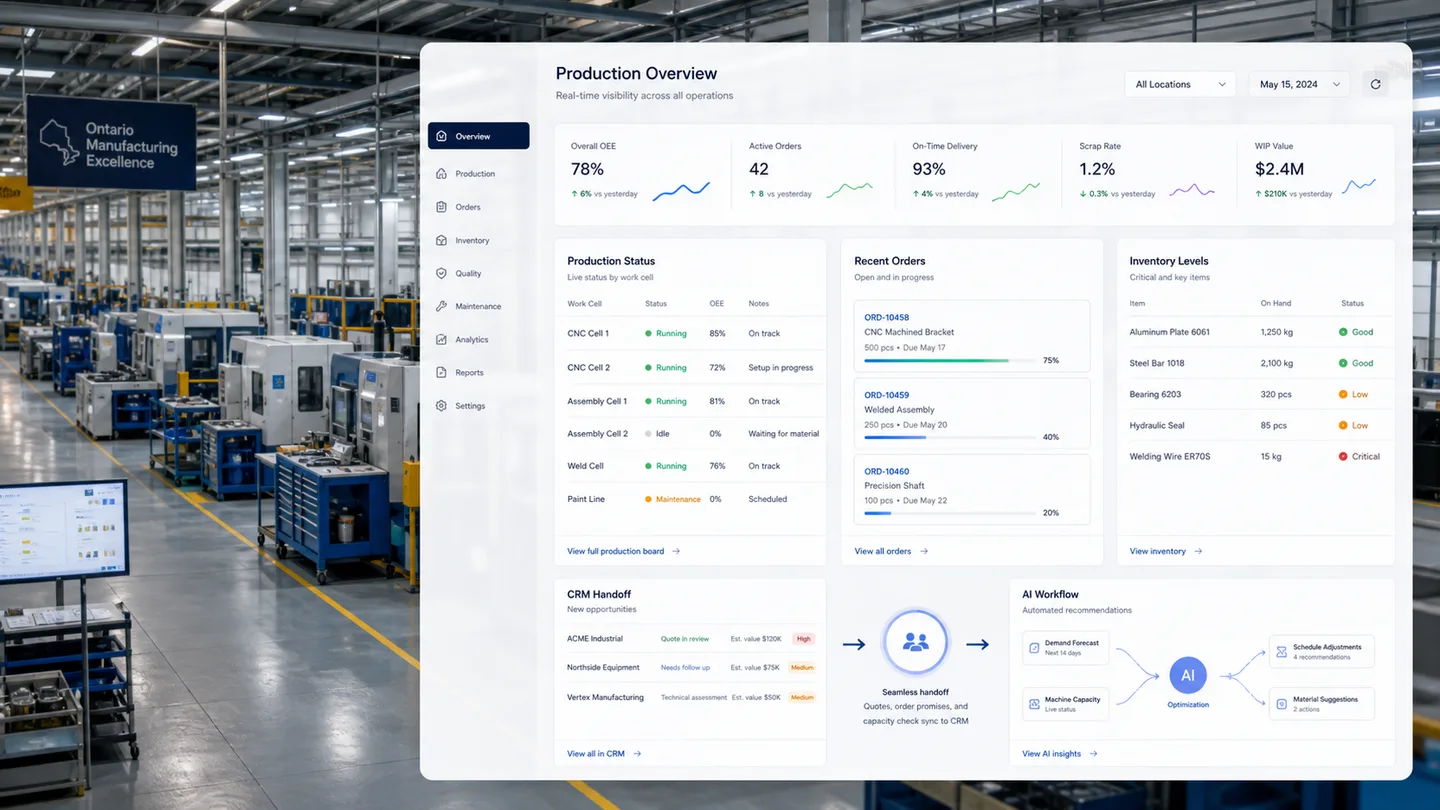
A strong post-DMAP implementation should identify the few systems that matter most, translate recommendations into buildable requirements, assign owners for data and process change, and avoid turning every wishlist item into a first-phase project. The best first build is often not the most exciting AI idea. It may be a production status dashboard, a quoting workflow, an inventory sync, a CRM handoff, or a reporting layer that finally gives leadership a trustworthy operating view.
Zap Media works with product and manufacturing teams on software, AI adoption, workflow mapping, and implementation roadmaps. We are not a grant advisor and do not guarantee funding. Our role is to help a company turn a modernization plan into a scoped technical path that can be built, tested, adopted, and improved.
Start with the workflow, not the tool
Manufacturing software fails when it is scoped from software categories instead of operational reality. "We need an ERP" is not a requirement. "Customer order changes are re-entered by sales, production, and finance, and no one sees the current status until someone asks" is much closer. "Inventory counts are corrected manually before purchasing decisions" is closer again.
After a DMAP engagement, the first implementation workshop should revisit the workflows behind the recommendations. Which process creates the most avoidable cost? Where does delay show up? Which data is trusted, and which data is patched by human memory? Which teams need to change behavior for the software to work?
This is also where AI adoption in manufacturing becomes more realistic. AI is rarely the first layer. If production status, orders, inventory, and customer commitments are not structured, AI will mostly summarize confusion. Once the workflow is mapped, AI can support forecasting, exception detection, document intake, quality review, maintenance triage, or customer-service routing with clearer human oversight.
Turn recommendations into buildable requirements
A DMAP can identify priorities, but developers need sharper inputs. A buildable requirement describes users, data sources, decision points, permissions, edge cases, integrations, reporting needs, and what happens when the system is wrong. For example, a "production dashboard" should specify whether it pulls from machines, spreadsheets, ERP records, barcode scans, manual updates, or all of the above.
Ontario manufacturers should also decide which systems should remain the source of truth. A custom dashboard can be valuable, but it should not quietly become a second ERP. A CRM handoff can reduce missed details, but it should not create duplicate customer records. Inventory visibility matters, but it needs clear ownership when physical counts and system counts disagree.
This is where Zap Media's custom software development work often begins: not with a giant build, but with a tight technical discovery phase. We define the first release, the data model, the integration risks, the user roles, and the acceptance criteria. That work makes any later Technology Demonstration Program Ontario conversation more grounded because the company can explain what it is implementing and why.
Build in phases that operators can adopt
The post-DMAP temptation is to launch everything at once: dashboard, CRM, ERP connector, inventory workflow, AI assistant, reporting suite, and management portal. That usually creates change fatigue. Manufacturing teams need software that respects the pace of the floor and the constraints of production work.
A better pattern is to begin with one operational spine. That might be order intake to production status, quote to job launch, inventory request to purchase order, quality issue to corrective action, or customer promise to delivery status. Once that spine works, the company can add AI assistance, analytics, alerts, and deeper integrations.
Phasing also protects the budget. If a first release proves that users update statuses reliably and management uses the dashboard, then additional automation has a stronger foundation. If the first release shows that the data model is wrong, the company learns early instead of discovering the problem after an expensive rollout.
A practical implementation checklist
Before moving from DMAP into software delivery, manufacturers should confirm the following:
- The top three workflows are ranked by operational value, not executive preference.
- Each workflow has a named business owner and a technical owner.
- Current systems, spreadsheets, and manual handoffs are mapped honestly.
- The first release can be explained in one paragraph by the team that will use it.
- Data sources, permissions, and integration risks are known before build begins.
- AI use cases are tied to reviewed workflows, trusted data, and human approval points.
- Success metrics are practical: hours saved, fewer duplicate entries, faster status visibility, reduced rework, or cleaner customer handoffs.
That checklist is not paperwork for its own sake. It is how a manufacturer avoids building a beautiful system that operators do not use. Digital transformation works when the software fits the work.
Where Zap Media fits after DMAP
Zap Media can help Ontario manufacturers translate DMAP recommendations into workflow maps, software requirements, implementation phases, AI adoption plans, dashboards, internal tools, and technical prototypes. We also recommend reading our earlier guide to OCI DMAP funding for Ontario digital modernization if your team is still deciding whether the planning stage is the right fit.
The main idea is simple: do not let a modernization plan sit in a shared drive. Use it to make decisions. Decide what to build first, what to buy, what to integrate, what not to automate yet, and what evidence would prove the investment is working.